
Repackage beer between kegs
Use keg repackaging when transferring beer that is already in a keg into other keg sizes or types. You can combine numbered Tracked kegs and Disposable kegs in the same run. The targets retain the source beer and lot.
Before you start
Section titled “Before you start”- The source must be in Packaged or Stocked, with a recorded beer lot and positive volume. It cannot be allocated to a customer.
- Tracked targets must be available, outside Packaged, Stocked and Fulfilled. The source cannot also be a target.
- Participating kegs cannot be reserved by another repackaging or production packaging run. Starting a run reserves its source; adding tracked targets reserves those kegs too.
- Disposable targets need a current variant for the source product and a configured capacity greater than zero.
- Normal packaging restrictions still apply. Resolve any Restricted message before finishing.
1. Select the source
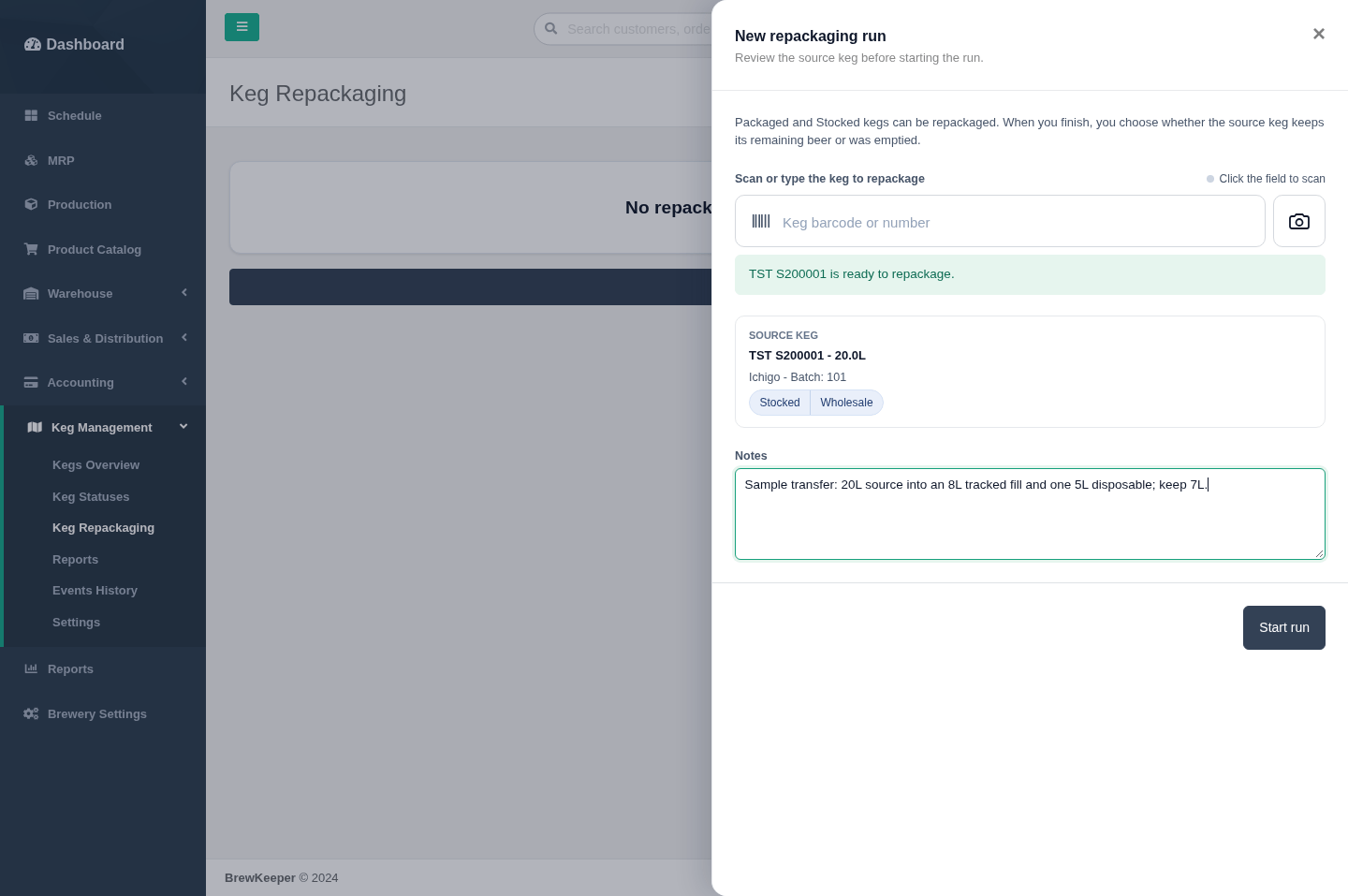
Section titled “1. Select the source”- Open Keg Management > Keg Repackaging and choose New repackaging run.
- Scan the source barcode, or search by keg number or beer and choose a match.
- Check the beer, batch, volume and location. Add notes if needed.
- Choose Start run.
2. Add targets and record their fills
Section titled “2. Add targets and record their fills”Tracked kegs
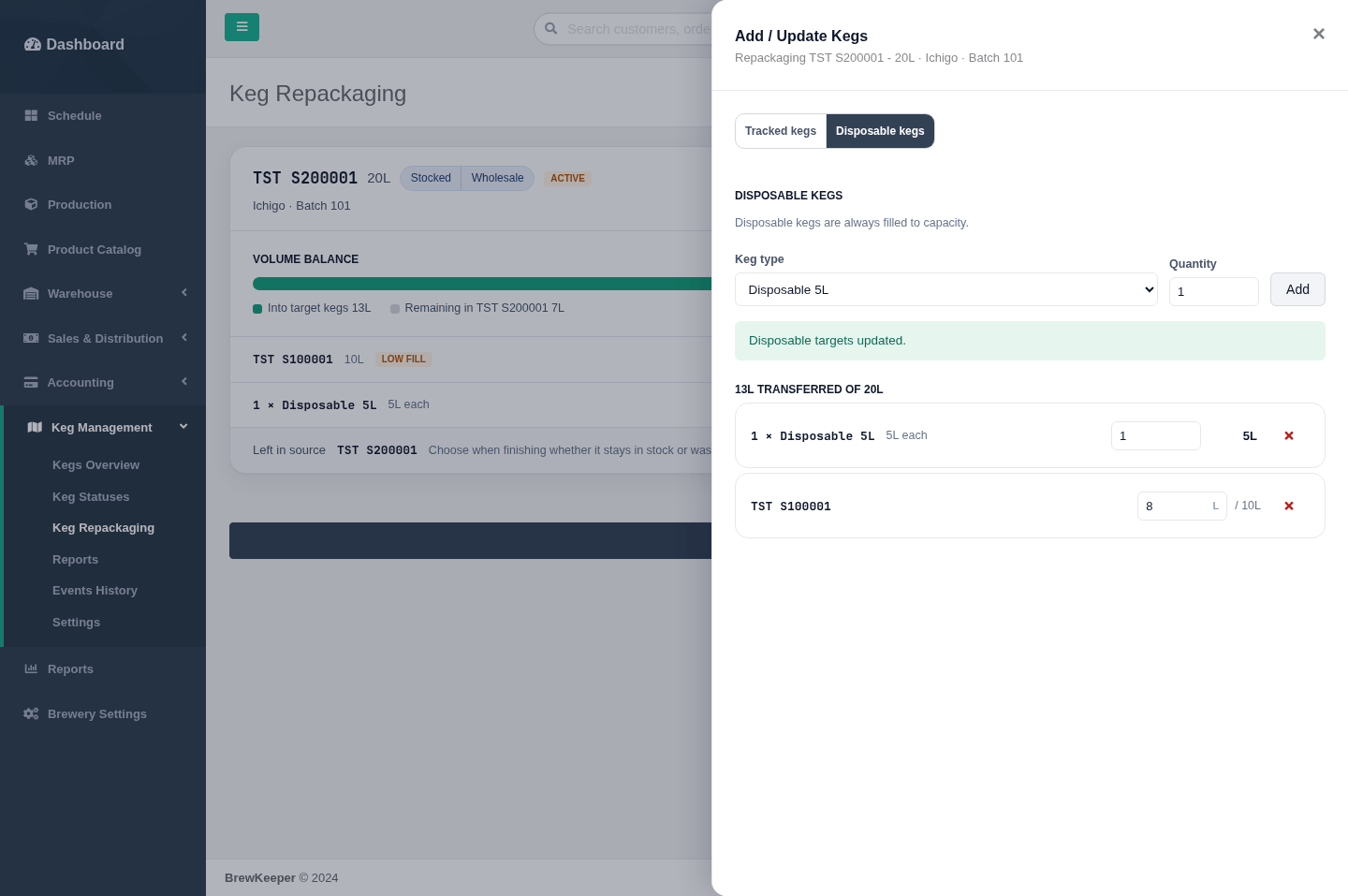
Section titled “Tracked kegs”Open Add / Update Kegs, select Tracked kegs, and scan or search for each target. Each target starts at its full capacity. For a partial fill, enter the actual litres and choose Update to save the change. Remove an incorrect target before finishing.
Disposable kegs
Section titled “Disposable kegs”Select Disposable kegs, choose the type, enter a whole-number quantity and choose Add. Each disposable is filled to its configured capacity; there is no per-unit partial-fill setting. You can update the quantity or remove a disposable target from the draft.
3. Check the volume balance
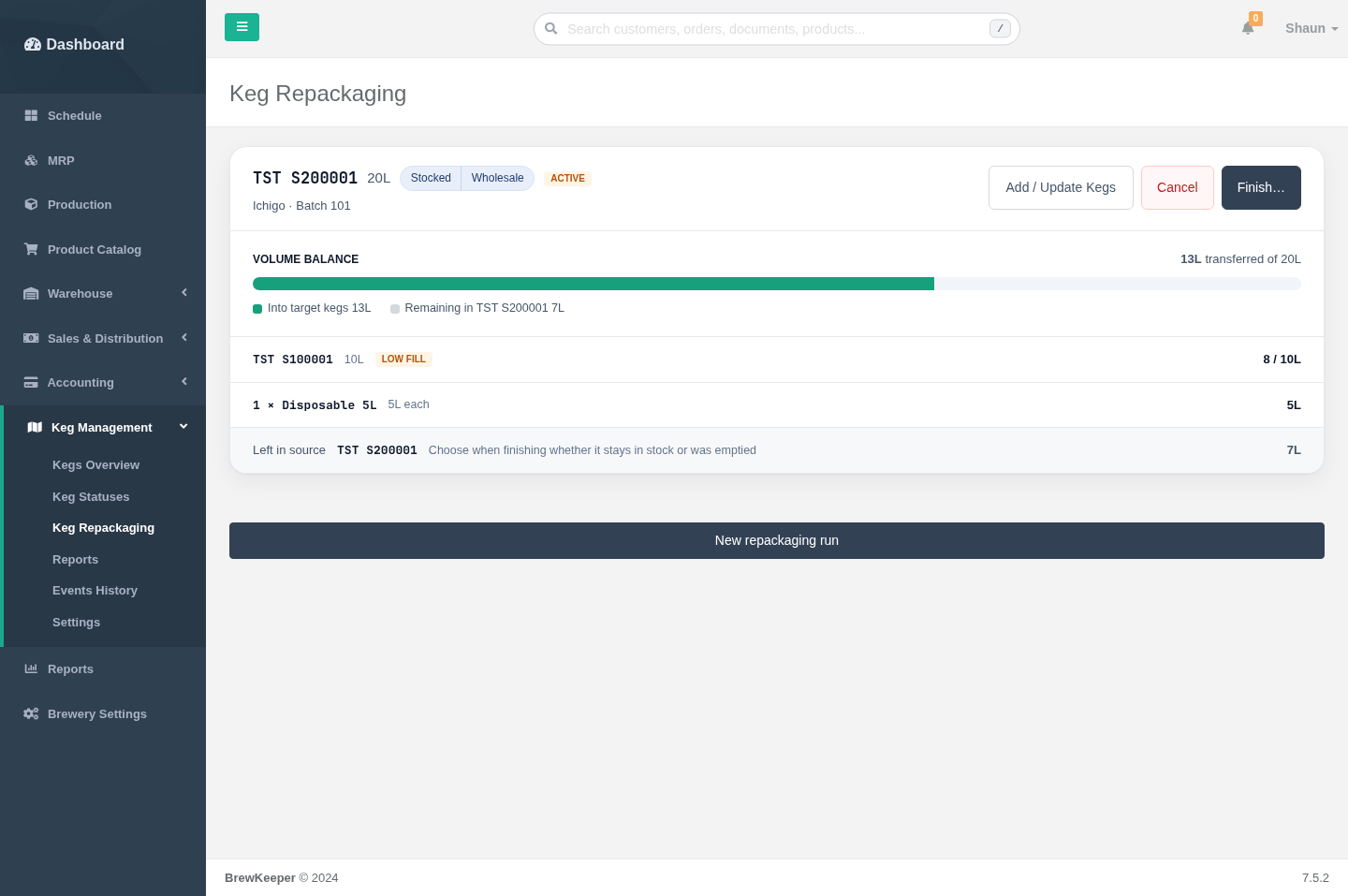
Section titled “3. Check the volume balance”Close the target panel to review the run card. It shows the target fills and the calculated volume remaining in the source. Target volume cannot exceed the source’s available volume.
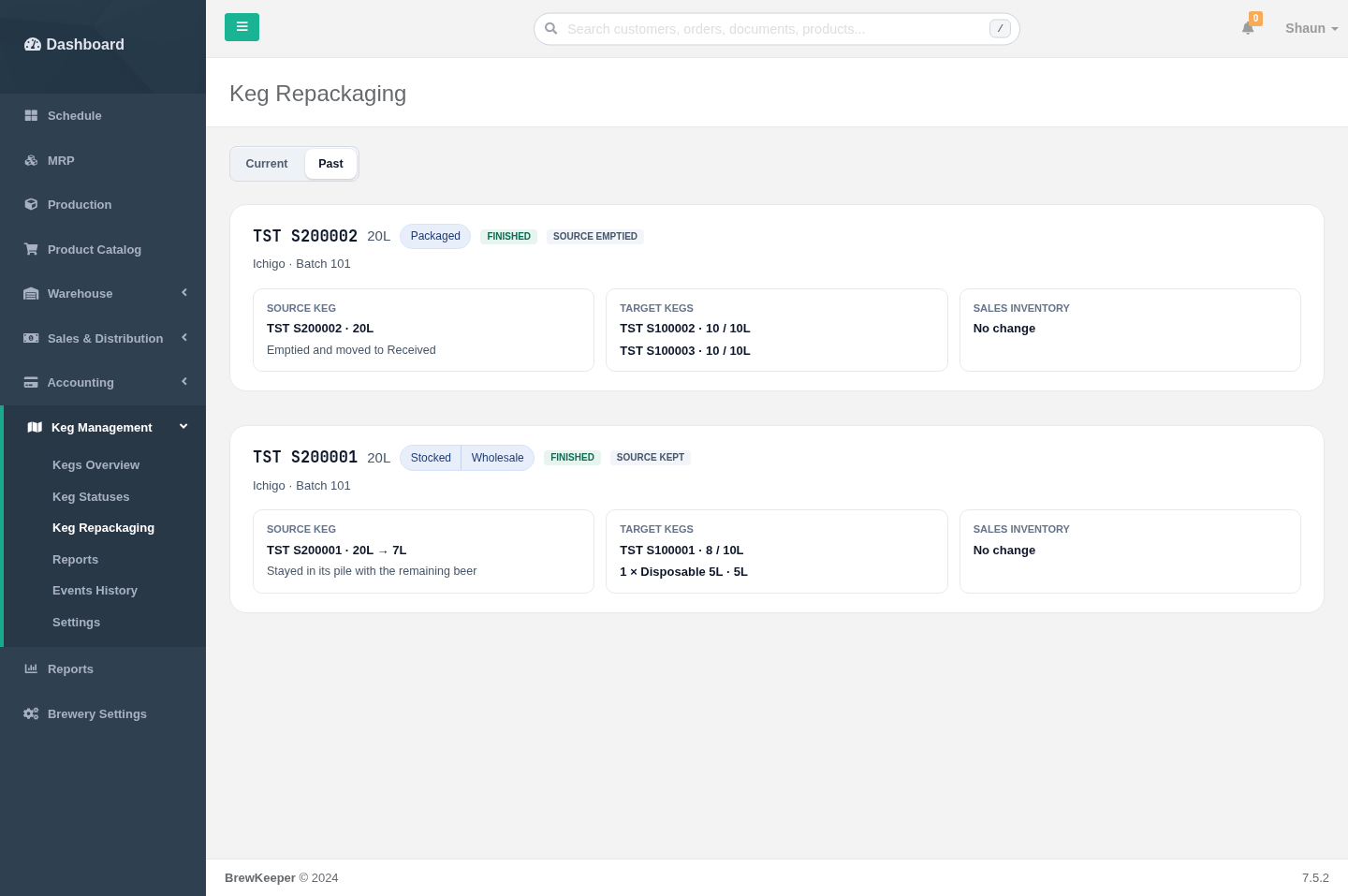
For example, a 20L source can supply an 8L fill in a tracked 10L keg and one 5L disposable, leaving 7L in the source. The tracked target is marked Low fill.
4. Finish and choose what happened to the source
Section titled “4. Finish and choose what happened to the source”Choose Finish…, then review the proposed changes.
| Source outcome | What to enter | Result |
|---|---|---|
| Keep the source with beer remaining | Actual remaining litres, greater than zero and no more than the calculated remainder | The source keeps its pile and location, with its remaining volume recorded. Its sales inventory stays unchanged. |
| Empty the source | Confirm that the source was emptied | The source moves to Received with no location. If it was Stocked, select the sales channel from which to remove one source-keg sales unit. |
If you choose to empty a source while the calculation still shows beer remaining, the finish panel warns about the volume not transferred. Check the actual fills and what happened to that beer before proceeding.
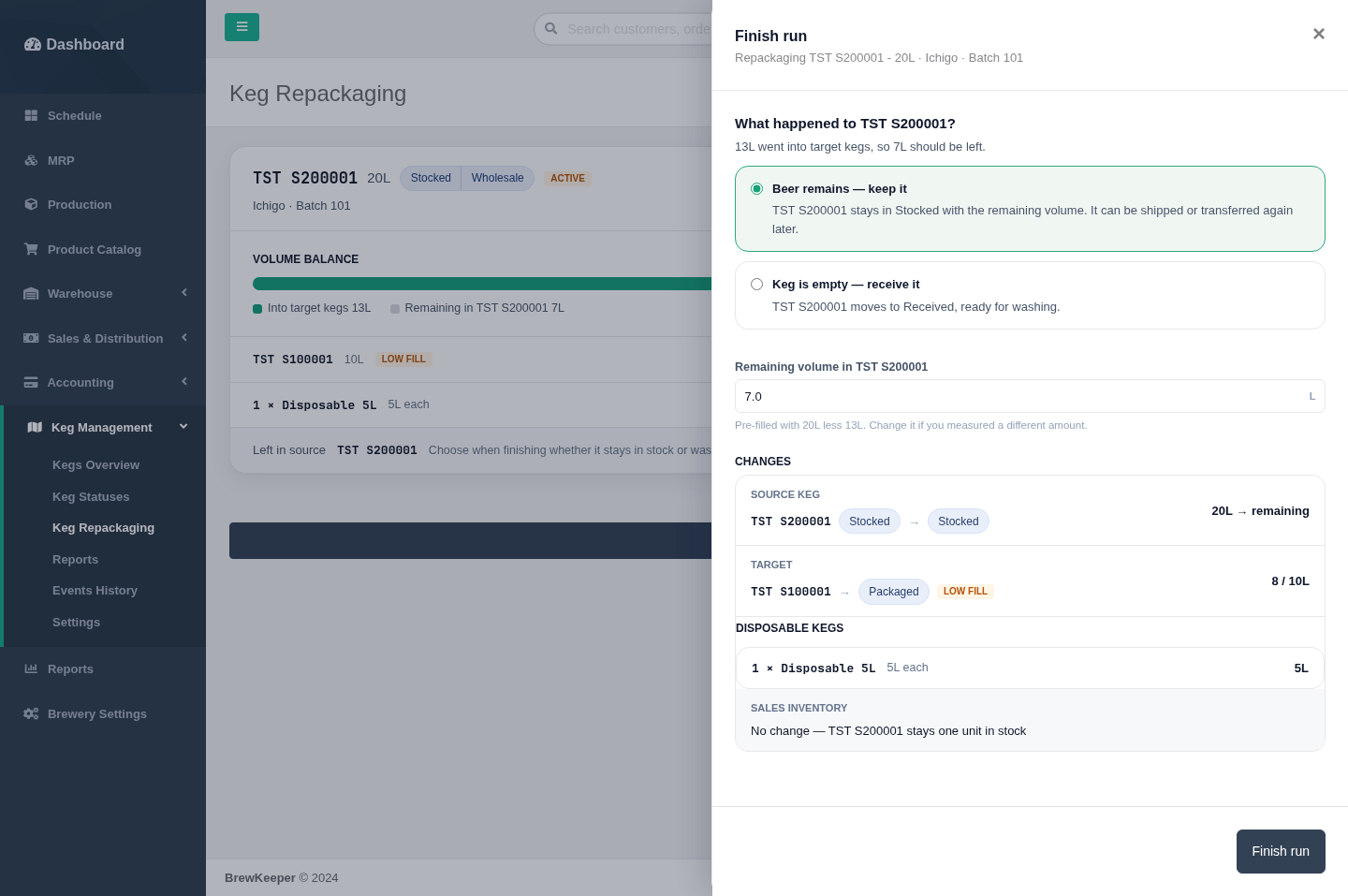
Filled targets enter Packaged, including disposable quantities. They are not automatically stocked for sale. This is a transfer of already-packaged beer, so it does not deduct the beer from the production batch again.
Choose Finish run and accept the confirmation only after checking the details.
5. Review the saved result
Section titled “5. Review the saved result”Open Past to see completed runs, target fills and whether the source was kept or emptied. A full transfer from a 20L source into two 10L targets leaves an empty source in Received.
To abandon an unfinished run, choose Cancel. Cancelling releases its reserved kegs without applying the transfer.
Screenshot walkthrough
Section titled “Screenshot walkthrough”Open the full 15-frame keg repackaging storyboard for the complete sequence, including editable draft values and a mobile history view. Captured on 12 November 2026 using temporary fictional test data. The screenshots show the English interface.